express-graphql 모듈 : 연결 스타일 미들웨어를 지원하는 모든 HTTP 웹 프레임워크로 GraphQL HTTP 서버를 만듦
// server.js 예시const express =require('express');const{ graphqlHTTP }=require('express-graphql');const app =express();// /graphql 경로로 요청이 오면 해당 요청에 대한 응답처리
app.use('/graphql',graphqlHTTP({schema: MyGraphQLSchema,graphql:true,}));
app.listen(4000);
graphql 모듈 : Type Schema를 구축(데이터 묘사)하고 해당 Type Schema에 대해 쿼리를 제공하는 두 가지 중요한 기능을 제공함
// graphql 모듈 예시var{ buildSchema }=require('graphql');// 타입 스키마 생성var schema =buildSchema(`
type Query {
description: String
}
`);
- server.js 파일 생성
// 기본 server.jsconst express =require("express");constPORT=4000;const app =express();
app.listen(PORT,()=>{
console.log(`Running a GraphQL API server at http://localhost:${PORT}/graphql`);});
- 스키마 작성
// server.js// graphql 모듈을 이용하여 스키마 작성하기const express =require("express");const{ buildSchema }=require("graphql");constPORT=4000;const app =express();const schema =buildSchema(`
type Query {
description: String
name: String
}
`);
app.listen(PORT,()=>{
console.log(`Running a GraphQL API server at http://localhost:${PORT}/graphql`);});
- graphqlHTTP 서버에 스키마, 데이터 넣기
데이터 내용이 담긴 root 객체 만들기
해당 객체는 스키마의 타입을 준수해야 함
graphqlHTTP 메서드에 앞서 작성한 스키마와 root 객체 전달하기
// server.jsconst express =require("express");const{ graphqlHTTP }=require("express-graphql");const{ buildSchema }=require("graphql");constPORT=4000;const app =express();const schema =buildSchema(`
type Query {
description: String
name: String
}
`);// 데이터가 담긴 root 객체const root ={name:"Jeonggon",description:"hello world",};// graphqlHTTP 메서드에 스키마와 데이터 객체 넣어주기
app.use("/graphql",graphqlHTTP({schema: schema,rootValue: root,}));
app.listen(PORT,()=>{
console.log(`Running a GraphQL API server at http://localhost:${PORT}/graphql`);});
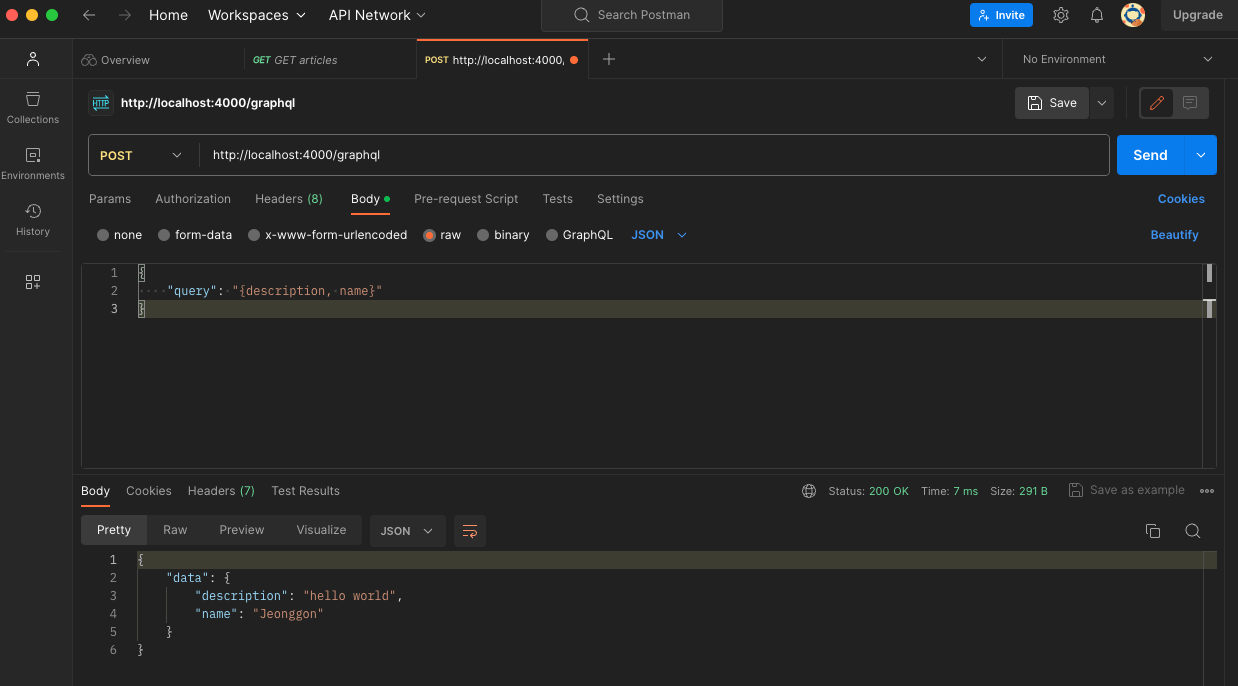
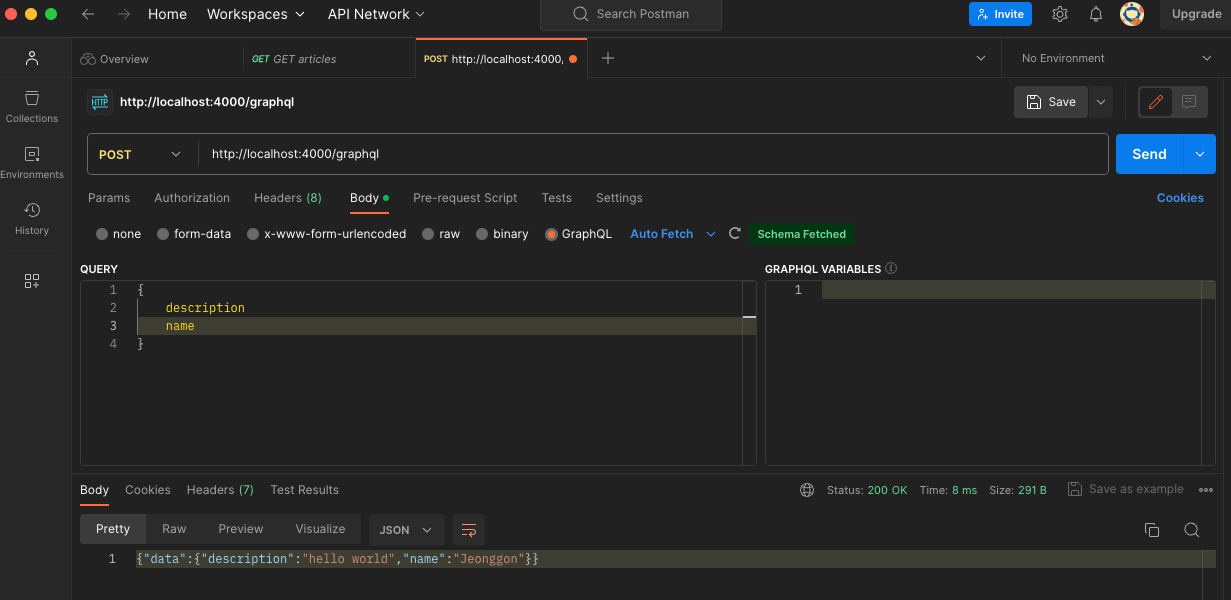
- 서버 실행 후, 요청 보내기
서버 실행하기
$ node server.js
출력

Running a GraphQL API server at http://localhost:4000/graphql